
TikTok Video Downloader App for Android
Save a public TikTok video straight to your phone. Download the free hdvideosave APK, paste a link, and choose an available MP4 without a watermark. HD options appear when the source provides them.
Version 1.0.1 · Android 10+ · 365 KiB · English
Direct download from hdvideosave. No account or registration required.
A look inside the hdvideosave app
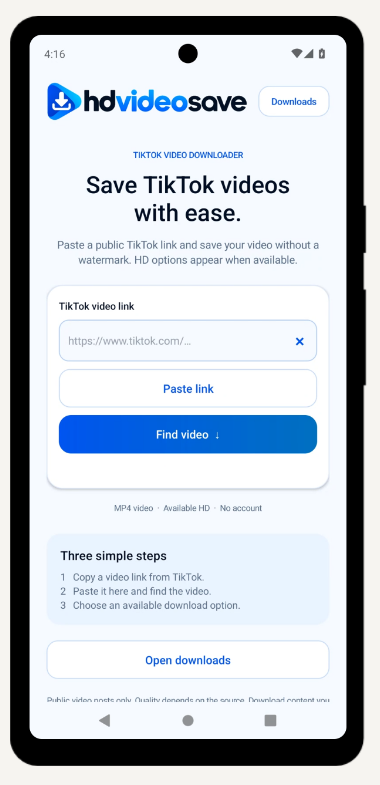
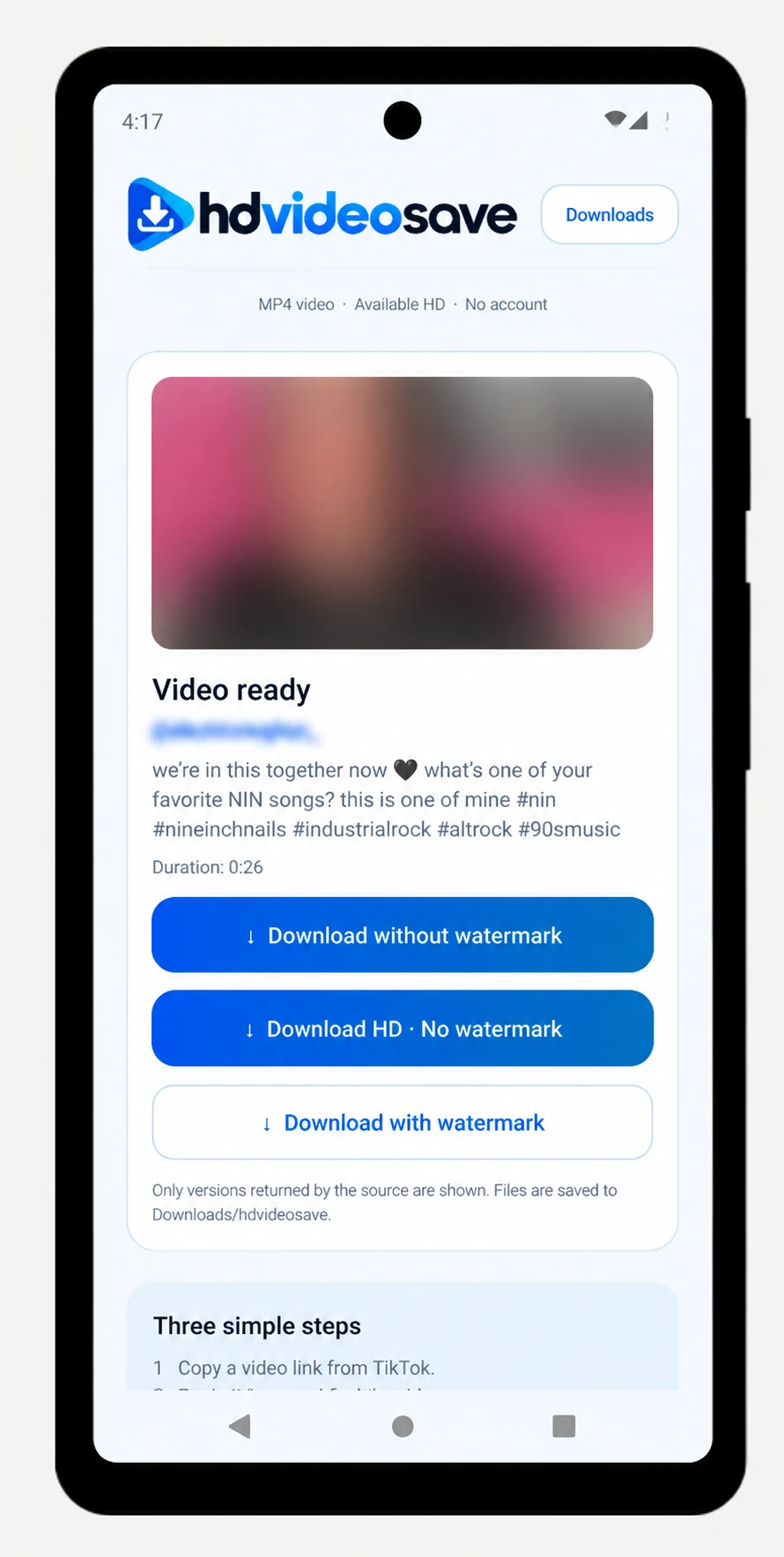
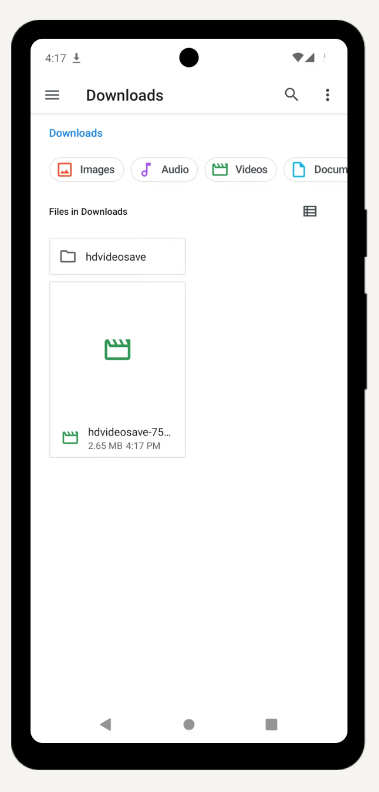
One link field, clearly labelled download options, and a shortcut to your saved files. These are real screenshots of the app and Android’s file manager.
A simpler way to save TikTok videos on Android
If you regularly use our TikTok video downloader on your phone, the app keeps the same task close at hand. Open it from your app drawer, paste a copied link, or send a video link through Android’s share menu.
MP4 without a watermark
Choose the watermark-free file when it is available. The app shows the download options returned for the video instead of promising a format it cannot retrieve.
Available HD quality
A separate HD button appears when the source returns a compatible higher-quality MP4. Keep the available quality without an extra conversion step.
No login or registration
You do not need a hdvideosave account or a TikTok password. An accessible public video link is enough to request the available files.
Android handles the download
The system download manager saves the file and reports its progress. Open downloads from the app to find the MP4 or check whether it has finished.
How to download and install the Android APK
You can download the hdvideosave app directly from this page. Use an Android phone running version 10 or later and make sure you have space for both the app and the videos you want to save.
Download the APK file
Tap Download Android APK and wait for hdvideosave-v1.0.1.apk to finish downloading in your browser.
Open the file and install
Open the downloaded file. If Android requests it, allow installation from the browser or file manager you are using, then follow the Install prompt. You can turn that permission off again afterward.
Paste or share a TikTok link
Copy a public video link from TikTok, open hdvideosave, and tap Paste link, then Find video. You can also share the link to hdvideosave through Android’s share menu.
Select a file and check the download
Pick an available MP4 option. Watch Android’s download notification for completion, then use Open downloads to find the video in Downloads/hdvideosave.
The app needs an internet connection to retrieve videos. A link that is private, removed, restricted, or temporarily unavailable may return no results. Try another accessible public video before repeating the same request.
hdvideosave APK details
This Android release focuses on downloading TikTok videos as MP4. For audio files, open our separate TikTok to MP3 converter in your browser. To save a slideshow, use the TikTok photo downloader.
| App name | hdvideosave |
|---|---|
| Version | 1.0.1 |
| Download size | 365 KiB (373315 bytes) |
| Compatibility | Android 10 or later |
| Interface language | English |
| Price | Free |
| Video format | MP4; quality options vary by video |
| Download location | Downloads/hdvideosave |
Frequently Asked Questions
Is the hdvideosave Android app free?
Yes. The APK is free to download and the app does not require a paid subscription or a hdvideosave account. Your normal internet or mobile data charges may apply.
Which Android version do I need?
Version 1.0.1 requires Android 10 or later. The app interface is in English, and an internet connection is required to find and download videos.
How do I install the APK on my phone?
Download the APK from this page and open the file. If Android asks, allow the browser or file manager you used to install this app. Follow the installation prompt. You can turn that permission off again afterward; you do not need to disable Play Protect.
Can I download TikTok videos without a watermark?
The app displays a download without watermark option when the source returns that version. It may also show HD or watermarked MP4 files. Availability depends on the public video and the source response.
Does the app always download in HD?
No. HD appears only when a compatible higher-quality file is returned. The app does not upscale a low-resolution video or guarantee the same options for every link.
Where are my downloaded videos saved?
The app sends downloads to the Android system download manager and saves them in Downloads/hdvideosave. Use Open downloads in the app, or find the folder in your phone’s Files app. Check the system download notification to confirm completion.
Can I save private or unavailable TikTok videos?
No. The app works with accessible public video links. It does not bypass private accounts, deleted posts, age or region restrictions, or other TikTok access controls.
Is there an iPhone version or an MP3 option?
This APK is for Android and downloads video files as MP4. It cannot be installed on iPhone or iPad. For browser access or audio conversion, use the hdvideosave website and its separate TikTok to MP3 tool.
Can I update the app without uninstalling it?
Version 1.0.1 uses the same package and signing certificate as the original hdvideosave release. Install the new APK over that official version. If Android reports a conflict, check that you are updating the original app rather than a differently signed copy.
Keep your next video a link away
Download hdvideosave for Android, open a public TikTok video link, and choose an available MP4. Prefer to stay in your browser? The web downloader is ready too.